Follow a Blocknet payout from the pool record to the wallet that should receive it. This guide starts when you can identify a payout entry on bntpool.com. If you only see estimated or confirmed mining rewards awaiting payment, use the PPLNS guide first; that is an earlier stage with its own accounting and payout rules.
How do you trace a payout missing from a wallet?
Find the payout record for the full receiving address, note its transaction identifier and current status, then check that transaction's chain status. Open the wallet for the same destination and let its synchronization and scanning catch up. Compare transaction history before deciding whether the payment itself or the local wallet view needs attention.
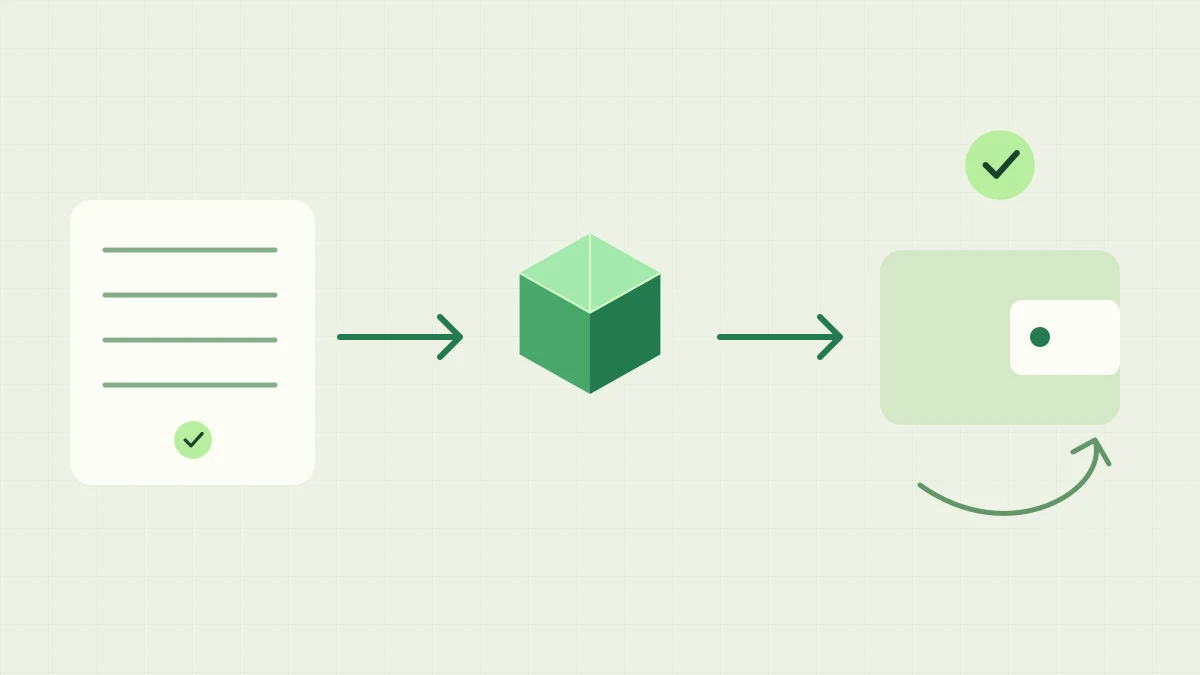
A pool payout record connects to a transaction on the chain, then to a wallet scanning its own incoming outputs.
Start with one specific payout record
Open My Stats and look up the full address used by the miner when those rewards were earned. Locate the relevant payout entry and record its amount, time, status and transaction identifier if present. Work from that entry rather than a lifetime paid total, which can summarize several payments. The tracking guide explains where these fields appear.
The public Payouts page describes payout batches, which may contain multiple recipients and transaction links. Keep your own address's record alongside the transaction you are investigating. A batch total is not the amount assigned to your wallet. If the page lists several transaction identifiers, expand the list and retain the relevant identifiers rather than copying only a shortened label.
Is the payout queued, unconfirmed or confirmed?
Read the current status before assuming that a listed payment has completed every step. A queued entry is still a pool-side processing state; an unconfirmed transaction still needs chain confirmation. Refresh the record and follow the transaction link when it is available. The pool's status page provides operational context if several observations point to a service interruption.
Keep mining-reward maturity separate from payout-transaction confirmation. The block that earned your reward and the later transaction paying your wallet have different identifiers and roles. The confirmation guide explains that distinction. A transaction identifier provides a concrete item to investigate, but its presence alone is not proof that your local wallet has scanned and recognized the payment.
Check the transaction on the chain
Open the explorer link attached to the payout and compare the full transaction identifier with your notes. Read the reported chain status and, when available, its block information. If the explorer has not found it yet, compare the refreshed pool record and service status before drawing a conclusion. A temporary lookup result alone does not identify the cause.
Blocknet's privacy means a normal explorer address search does not display a public recipient balance. The explorer's transaction status and your wallet's ownership checks answer different questions. Your wallet recognizes incoming outputs while scanning the chain. The stealth-address guide explains that process; avoid expecting an ordinary public address listing to reproduce the wallet's private transaction history.
Are you looking at the correct receiving wallet?
Compare the pool lookup address with the receiving address of the wallet you have open. Copy full values when comparing; similar abbreviated prefixes are insufficient. If you mine through a Blocknet ID, retain the full address used for the original work. A current name lookup can point elsewhere after its mapping changes, while an earlier payout remains associated with its original destination.
Check any older wallet you used before changing mining settings. Updating the miner's address or a name mapping does not move a payment already assigned to another destination. The address-change guide explains how to follow both histories. Keep your original wallet and backup available while investigating, and distinguish opening an existing wallet from creating a new wallet with a different address.
Let the wallet synchronize and scan
Confirm that the wallet's node is progressing toward the current chain and that the wallet scan has caught up through the payout transaction's block. Node synchronization and wallet scanning are separate progress checks. A recently opened or restored wallet can need time to discover its outputs even when a public explorer already shows the transaction in a block.
Keep the wallet connected and follow its documented synchronization workflow. Compare incoming transaction history as well as the headline balance, since later spending can change the current total. If an entry exists, inspect its confirmation or availability state. Start with these observations before attempting recovery or a full rescan, and preserve backups before any wallet-maintenance operation. The wallet guide covers wallet access and backups.
What details help resolve a remaining mismatch?
Write down the full pool address, payout transaction identifier, approximate time and current pool status. Add the wallet application version, node synchronization progress, wallet scan progress and whether the incoming transaction appears in history. State which checks you completed. These details distinguish a transaction-status question from an address mismatch or a wallet that is still catching up.
Use the project's official support route and share account details only where appropriate. A transaction investigation does not require your recovery phrase, private keys or wallet password. Avoid posting complete diagnostic files without checking their contents. Finish by matching the same payout record, transaction and receiving wallet; a fresh hashrate reading or another miner restart does not verify receipt of an earlier payment.
Frequently asked questions
Does a queued payout mean my wallet has received it?
A queued payout is a pool-side processing state, so first check whether that record has a transaction identifier and what its current status says. A payout record, a transaction reaching the chain and your wallet recognizing its output are separate stages. Follow the specific transaction when one is available.
Can the explorer show my private wallet balance?
The explorer helps you check a transaction's public chain status. Blocknet uses private transaction outputs, so an ordinary address search is not a public statement of your wallet balance or proof that a particular output belongs to you. Your wallet scans the chain to recognize its own outputs.
What should I provide when asking about a missing payout?
Provide the full receiving address used for the pool lookup, the payout transaction identifier, approximate time, pool status and wallet synchronization progress. Explain whether the transaction appears in wallet history. Share account details only in the appropriate support context, and never provide your seed phrase, private keys or wallet password.